Revit
-

How to Change the Color of Detail Lines in Revit? (Step by step)
In the world of architectural design and drafting, Autodesk Revit has become a staple software for professionals seeking to bring their visions to life. When it comes to creating detailed drawings, the ability to…
-
How to detach a central model in Revit? (Step by step)
As we embark on the journey of architectural design and construction, it’s essential to understand the numerous tools and features at our disposal. One such tool is Autodesk Revit, a Building Information Modeling (BIM)…
-
How to Rotate View in Revit (Step by step)
When working with Revit, the ability to rotate views is essential for gaining different perspectives, aligning elements, and effectively communicating design intent. Whether you’re an architect, engineer, or construction professional, mastering the art of…
-
How to Change Associated Level in Revit (Step by step)
In the world of architectural design and modeling, precise control over associated levels is crucial for creating accurate and organized building models. Autodesk Revit, a leading software in the industry, provides robust tools for…
-
How to add folder in project browser in Revit
Welcome to our comprehensive guide on managing and optimizing your project workflow in Autodesk Revit. Whether you are a beginner or a seasoned professional, understanding how to effectively add and organize folders in Revit’s…
-
How to create reference line in Revit?
When it comes to designing and modeling in Autodesk Revit, mastering the use of reference lines is crucial. As a foundational tool, reference lines guide the placement and alignment of elements, helping to bring…
-
How to edit revision text in Revit? (Step by step)
Managing revisions is a critical aspect of any successful architectural, engineering, and construction (AEC) project, and Autodesk Revit provides robust capabilities for this purpose. Whether you’re an experienced professional or a beginner, understanding how…
-
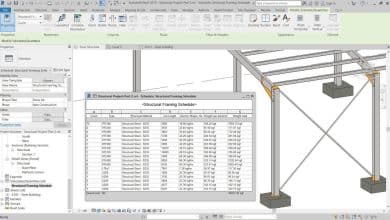
How to insert a row in a schedule in Revit: Step by step
As projects become more complex and deadlines get tighter, it’s important to be able to work efficiently and effectively in Revit. Schedules are one tool that can help you do just that. By organizing…
-
How to add sheet category in Revit : Tips and Techniques
Revit, the widely adopted Building Information Modeling (BIM) software by Autodesk, has revolutionized the architecture, engineering, and construction industries. It provides an assortment of tools designed to aid in designing, analyzing, and visualizing building…
-
How to bring objects to front in Revit : The Comprehensive Guide
Autodesk Revit has revolutionized the world of building design and construction. With its robust and versatile functionality, it allows professionals to create and manage complex 3D models with precision and ease. Yet, just like…
-
How to copy a sheet from one project to another in revit : Ultimate Guide
In the world of architecture and design, Autodesk Revit has emerged as a leading software tool for building information modeling (BIM). Its ability to facilitate multidisciplinary collaboration and streamline project workflows makes it invaluable…
-
How to Troubleshoot Revit When It’s Not Responding
What to do when Revit is not responding Revit is a powerful building design software used by architects, engineers, and construction professionals. However, like any software, it can sometimes experience technical issues, such as…